Table of Contents
- Step-by-Step: Personal PAN Registration at ird.gov.np
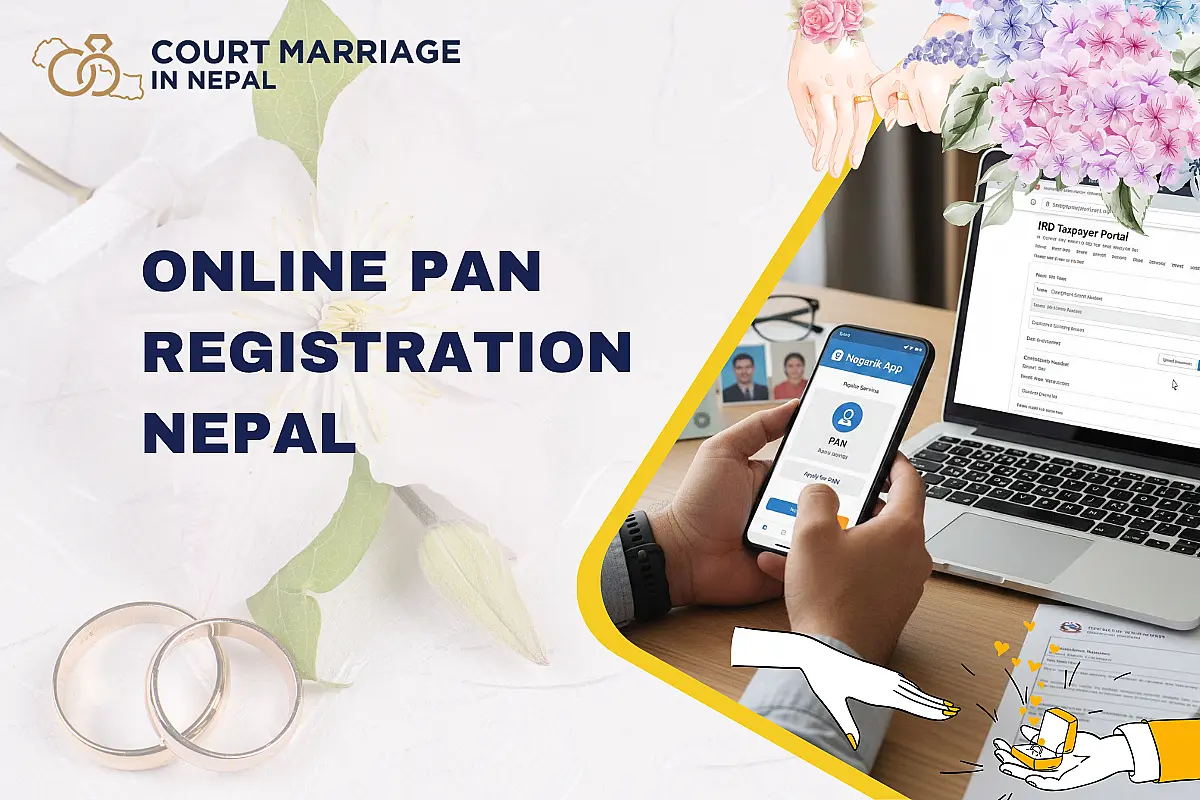
- PAN Registration Through the Nagarik App
- Document Upload Specifications
- How NID Linking Speeds Up Registration
- Biometric Verification at the IRD Office
- Common Errors and Troubleshooting
- Online PAN for Businesses and Foreign Nationals
- After Registration: Portal Account and TDS Linking
- Conclusion: Register Your PAN Online Today
You no longer need to queue at a tax office to get your PAN number. As of 2083 BS (2026 AD), Nepal's Inland Revenue Department (IRD) processes the majority of PAN applications digitally — through the Taxpayer Portal at ird.gov.np and the Nagarik App. The entire online form takes 5 to 15 minutes if you have a National Identity Card (NID), or 20 to 30 minutes without one.
This guide covers the online process in detail — screen by screen. For a general overview of PAN types, eligibility, and required documents, read our parent guide on PAN card registration in Nepal. Here, we go deeper into the IRD portal steps, the Nagarik App method, NID auto-fill, document upload specifications, OTP verification, biometric requirements, and every common error you might face.
Online PAN registration in Nepal can be completed at taxpayerportal.ird.gov.np or through the Nagarik App. Enter your mobile number, verify via OTP, fill the e-form (auto-populated if NID-linked), upload citizenship scan (JPEG, under 2 MB), and submit. You must then visit your selected Inland Revenue Office for biometric verification. The PAN number is issued same-day to 3 working days, and registration is completely free.
Clients from 50+ countries have registered their marriage in Nepal through our lawyers. Married couples enjoy a higher income tax threshold of NRS 6,00,000 vs NRS 5,00,000 for single filers. If you are registering your marriage, contact our lawyers for a free consultation. Speak with a lawyer today →
Step-by-Step: Personal PAN Registration at ird.gov.np
Keep your citizenship certificate, a digital passport photo, and your mobile phone ready before you begin. Follow these exact steps:
Step 1–3: Access Portal and Enter Mobile Number
Open ird.gov.np and click "Taxpayer Portal". In the left menu, expand "Registration (PAN, VAT, EXCISE)" and select "Application for PPAN Registration" (PPAN = Personal PAN). Enter your mobile number — if you have an NID, use the mobile number registered with it.
The portal asks: "Do you have a National Identity Card?" If yes, enter your NID number. The system auto-populates your name, date of birth, gender, address, and family details from the NID database — cutting form time from 20+ minutes to under 5 minutes.
Step 4–5: CAPTCHA and OTP Verification
Complete the CAPTCHA and click "Continue". A 6-digit OTP is sent to your mobile via SMS. Enter it within the time limit. If the OTP doesn't arrive, check network signal, restart your phone, or request a new OTP after 5 minutes.
Step 6–9: Complete the E-Form
The form covers four sections (many auto-filled if NID-linked):
- Personal details: Full name (Nepali + English), gender, date of birth, nationality, residency status
- Address: Permanent and temporary addresses — district, municipality, ward, tole
- Family members: At least one mandatory — father, mother, grandfather, or spouse (name + citizenship number)
- Income source: Employment, business, investment, or other. Select government or private sector
Step 10–13: Select Office, Upload, Submit, Print
Choose your nearest Inland Revenue Office (IRO) from the dropdown — this is where you go for biometric verification. Upload your citizenship scan and passport photo (see specifications below). Review every field, click "Submit", and save the submission number. Print the application form for your office visit.
Key Point: Your PAN number is generated automatically upon submission and sent to your mobile and email. However, you cannot use it for official transactions until biometric verification is complete at the IRD office.
PAN Registration Through the Nagarik App
The Nagarik App offers a faster mobile-first registration. Many users receive their digital PAN card in the app on the same day.
- Download the Nagarik App from Google Play (Android) or App Store (iOS)
- Register with your mobile number, verify via OTP
- Verify identity using citizenship number, NID, voter ID, or driving licence
- Tap "PAN" on the main dashboard → "Click Here to Register PAN"
- Select your nearest Inland Revenue Office
- Review auto-filled details, complete any remaining fields
- Capture a live passport photo (pre-saved photos not accepted)
- Submit and save the submission number
- Visit the IRD office for biometric verification — digital PAN card appears in the app after approval
| Feature | IRD Portal (ird.gov.np) | Nagarik App |
|---|---|---|
| Access | Desktop/laptop browser | Mobile app (Android/iOS) |
| NID Auto-Fill | Yes — enter NID number | Yes — via identity verification |
| Photo Upload | Upload scanned photo (JPEG) | Live camera capture required |
| Processing Speed | 1–3 working days | Same day to 1 working day |
| Digital PAN Card | Available after office visit | Appears in app after biometric |
| Best For | Business PAN, detailed forms | Personal PAN, quick registration |
Document Upload Specifications
One of the most common causes of rejection is incorrect document uploads. Follow these exact specifications:
| Document | Format | Max Size | Requirements |
|---|---|---|---|
| Citizenship certificate | JPG/JPEG | 2 MB | Both front and back in a single image. Clear, legible scan |
| Passport photo | JPG/JPEG | 300 KB | 35mm × 45mm, plain white background, taken within 6 months |
| Passport (foreigners) | JPG/JPEG or PDF | 2 MB | Personal details page clearly visible |
| Business documents | PDF or JPEG | 2 MB each | For multi-page documents, combine into one PDF |
Upload tips: Use black-and-white scanning at minimum resolution to stay under size limits. If your citizenship scan exceeds 2 MB, use a free image compressor. Ensure text is readable — blurry or cut-off images trigger automatic rejection.
How NID Linking Speeds Up Registration
The National Identity Card issued by DONIDCR is the single most effective way to speed up online PAN registration. When you enter your NID number and the mobile number registered with your NID, the system auto-fills:
- Full legal name (Nepali and English)
- Date of birth and gender
- Permanent address (district, municipality, ward, tole)
- Father's, mother's, and grandfather's names
- Spouse's details (if recorded)
Important rules: You must use the mobile number registered with your NID — a different number won't trigger auto-fill. NID-populated fields cannot be edited through the IRD portal. If there's an error, correct it at DONIDCR first. NID is optional — you can complete registration manually without it.
Biometric Verification at the IRD Office
Despite the online process, one in-person step remains mandatory under the Income Tax Act 2058.
What to Bring
- Printed application form with submission number
- Original citizenship certificate (or passport for foreigners)
- Original NID (if used during registration)
- Photocopies of all documents submitted online
- For business PAN: original company documents and company stamp
What Happens
- Present your submission number at the counter
- The officer pulls up your online application
- Your photograph is captured digitally
- Your fingerprints are collected through a biometric scanner
- Documents are verified against uploaded copies
- If everything matches, PAN is approved — often on the same day
Most IROs operate Sunday to Thursday, 10:00 AM to 5:00 PM (winter) or 10:00 AM to 4:00 PM (summer). In our experience advising clients on tax compliance, the most common delay is visiting the wrong office — always select the one closest to your registered address.
Common Errors and Troubleshooting
| Error | Cause | Fix |
|---|---|---|
| Document upload fails | File exceeds 2 MB or wrong format | Compress to under 2 MB, use JPG/JPEG |
| Application rejected | Name mismatch between form and documents | Ensure name matches citizenship exactly — spelling and middle names |
| NID auto-fill not working | Mobile number doesn't match NID | Use the exact mobile number registered with your NID |
| "PAN already exists" error | PAN previously registered under your details | Each person holds only one PAN. Contact serviceird@ird.gov.np to recover it |
| Portal loading failure | Browser compatibility or server overload | Use Chrome or Firefox. Try morning hours. Clear browser cache |
| OTP not received | Network issues or full SMS inbox | Restart phone, clear SMS inbox, request new OTP after 5 minutes |
| CAPTCHA not loading | Browser blocking scripts | Disable ad blockers, refresh page, try different browser |
For unresolved issues, email the IRD helpdesk at serviceird@ird.gov.np or call 1660-01-06677.
Online PAN for Businesses and Foreign Nationals
Business PAN Online
The process is similar but requires additional corporate documentation. At the IRD portal, select "Business PAN" instead of PPAN. Enter your company registration number from OCR, NSIC code, estimated turnover, and director/shareholder details with their individual PAN numbers. Upload company registration certificate, MOA/AOA (for Pvt. Ltd.), and business address proof.
Business PAN processing takes 1–3 working days after biometric verification of the authorized representative. For company registration in Nepal, PAN is one of the first steps after incorporation.
Foreign Nationals
Foreign nationals with a valid work permit or business visa can register through the IRD portal only (Nagarik App requires NID or citizenship). Select "Foreign" under nationality, enter passport details instead of citizenship, and upload passport + visa documentation. Tourist visa holders are not eligible. Processing takes 3–5 working days.
After Registration: Portal Account and TDS Linking
After receiving your PAN, create a Taxpayer Portal username at ird.gov.np to access ongoing tax services — filing returns, paying taxes online, managing TDS, and downloading tax clearance certificates.
Link your PAN with your bank account immediately. Banks deduct 5% TDS on interest income with PAN linked, but 6.5% without — costing you 1.5% extra on every deposit. Visit your bank branch with your PAN card and citizenship to update KYC, and the link is automatic. Understanding this matters when calculating your income tax in Nepal.
Conclusion: Register Your PAN Online Today
Online PAN registration in Nepal is free, fast, and available 24/7. The process takes as little as one day with NID linking and a prompt IRD office visit. Make sure your documents are in JPEG format under 2 MB, your mobile matches your NID registration, and you select the correct Inland Revenue Office.
Whether you need PAN for employment, banking, property registration, or court marriage in Nepal, our team of Nepal Bar Council-registered lawyers can guide you through the process. Contact us today for a consultation →
Last reviewed: April 2026. Based on the Income Tax Act 2058 and IRD operational guidelines current as of Chaitra 2082 / April 2026.
Frequently Asked Questions
Yes. Register through the IRD Taxpayer Portal at taxpayerportal.ird.gov.np or the Nagarik App. The online form takes 5–30 minutes depending on NID linking. Biometric verification at an IRD office is still required after submission.
Yes, completely free. The Inland Revenue Department charges no fees for PAN registration — personal or business, online or offline.
The online form takes 5–15 minutes with NID linking or 20–30 minutes without. After submission, biometric verification at the IRD office takes about 30 minutes. PAN is typically issued same-day to 3 working days after biometric completion.
The official URL is taxpayerportal.ird.gov.np. Access it through ird.gov.np by clicking "Taxpayer Portal." Use Google Chrome or Mozilla Firefox for best compatibility.
Yes. Steps:
- Open Nagarik App → tap "PAN" → "Click Here to Register PAN"
- Select nearest revenue office
- Capture live passport photo and submit
- Digital PAN card appears in the app after biometric verification
Required uploads:
- Citizenship certificate: Both sides in one image, JPEG, under 2 MB
- Passport photo: JPEG, under 300 KB, white background
- Foreigners: Passport copy + valid Nepal visa
- Business PAN: Company registration, MOA/AOA, address proof
Entering your National Identity Card number auto-fills your name, date of birth, address, and family details from the NID database. This reduces form time from 20–30 minutes to 5–15 minutes. You must use the mobile number registered with your NID.
Yes. Biometric verification (photograph and fingerprints) at your selected Inland Revenue Office is mandatory. Bring:
- Printed application with submission number
- Original citizenship certificate
- Photocopies of all uploaded documents
Each person can hold only one PAN for their lifetime. This error means a PAN was previously registered under your details. Contact the IRD helpdesk at serviceird@ird.gov.np or visit any IRD office with your citizenship to recover your existing PAN number.
Yes, through the IRD portal (not Nagarik App). Foreign nationals enter passport details instead of citizenship, need a valid work permit or business visa, and cannot use NID auto-fill. Tourist visa holders are not eligible. Processing takes 3–5 working days.
Troubleshooting steps:
- Check network signal and ensure your SIM is active
- Clear SMS inbox if full
- Restart your phone
- Wait 5 minutes and request a new OTP
- If using NID, ensure you entered the NID-registered mobile number
Visit the IRD Taxpayer Portal, go to "PAN Status" under Registration, enter your submission number and CAPTCHA. Status shows Pending, Approved, or Rejected. To look up an existing PAN, use ird.gov.np/pan-search with the 9-digit number.
Yes, partially. Log in to the IRD portal to update address, contact number, and business activities. However, NID-linked fields (name, date of birth) cannot be edited online — you must correct them at DONIDCR first, then the IRD portal reflects the change.
Google Chrome and Mozilla Firefox work best. Disable ad blockers before starting. Clear browser cache if the portal loads slowly. Try morning hours to avoid peak server load.
Visit your nearest Inland Revenue Office with your original citizenship certificate and request a duplicate. A fee of NRS 500–1,000 applies, and the replacement is issued within 1–3 working days. To recover a forgotten PAN number, email serviceird@ird.gov.np.
Court Marriage in Nepal Pvt. Ltd. is Nepal's first registered law firm for court marriage services. Since 2016, our Nepal Bar Council-registered advocates have helped 2,000+ couples from 50+ countries with marriage registration, document preparation, and legal consultation. Whether you are a Nepali citizen or a foreign national, contact us today for confidential legal assistance.